Overview
The Browserbase MCP Server can be integrated with Google ADK agents to provide browser automation capabilities. We support both local STDIO and hosted SHTTP transport methods.
We recommend using SHTTP with our remote hosted URL to take advantage of the server at full capacity and avoid managing local processes.
Prerequisites
Get your Browserbase credentials
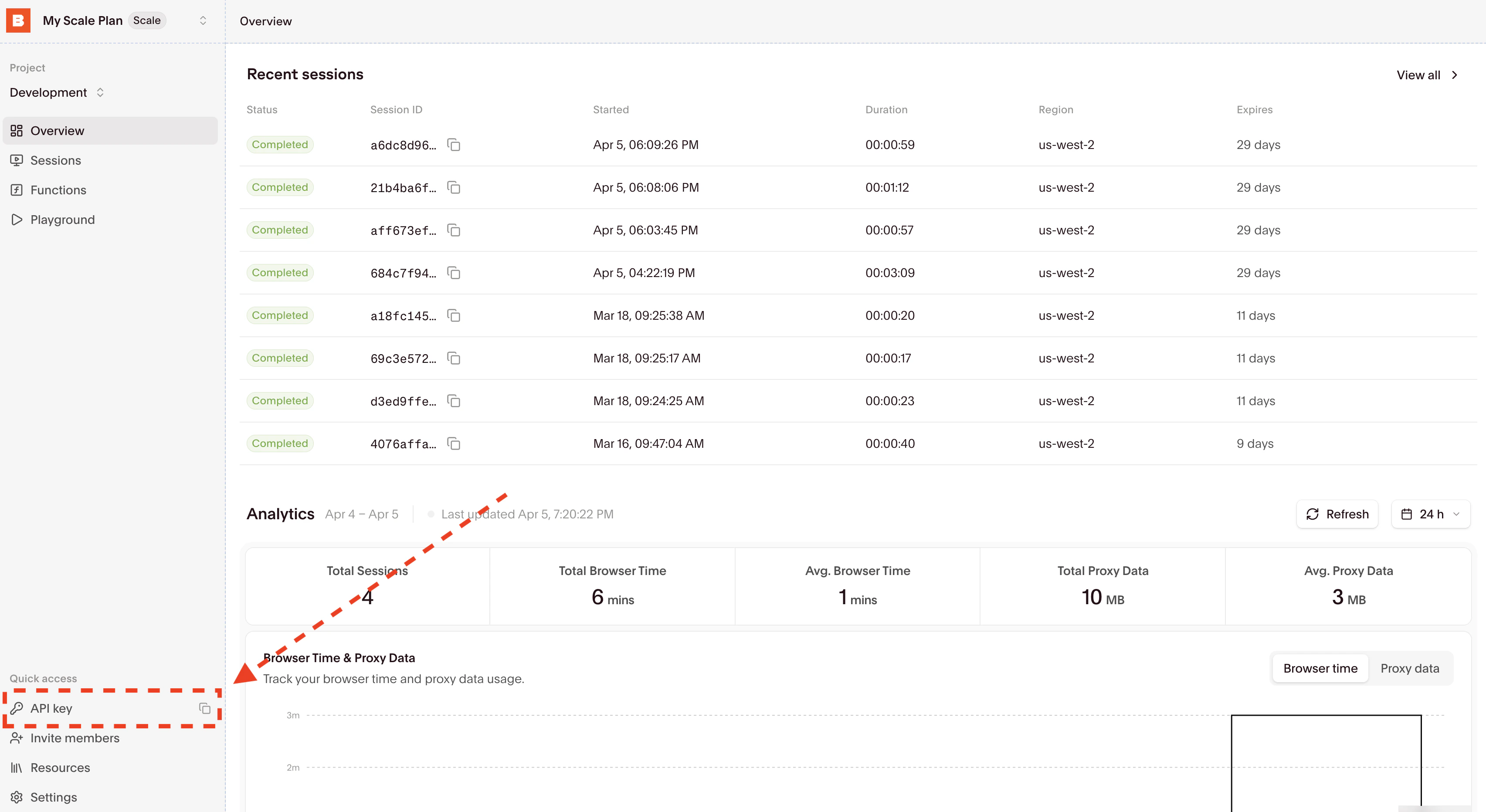
Get your Browserbase API key and project ID from the Browserbase Dashboard.Then copy your API Key and Project ID directly from the input. (Optional) Get your Gemini API Key
Get your Gemini API key from Google AI Studio for AI-powered browser automation with Stagehand. Only required if you’re using the local MCP server.
Setup Methods
Remote Hosted (SHTTP)
Local STDIO
Go to smithery.ai and enter your API keys and configuration to get a remote hosted URL.
Then configure your Google ADK agent:from google.adk.agents import Agent
from google.adk.tools.mcp_tool.mcp_session_manager import SseConnectionParams
from google.adk.tools.mcp_tool.mcp_toolset import MCPToolset
root_agent = Agent(
model="gemini-2.5-pro",
name="browserbase_agent",
instruction="Help users get information from web pages using Browserbase",
tools=[
MCPToolset(
connection_params=SseConnectionParams(
url="your-smithery-url.com",
timeout=300,
),
)
],
)
No need to manage API keys when using the hosted version - they’re configured through Smithery!
For local development or when you need more control over the server configuration, use the STDIO transport method.from google.adk.agents import Agent
from google.adk.tools.mcp_tool.mcp_session_manager import StdioConnectionParams
from google.adk.tools.mcp_tool.mcp_toolset import MCPToolset
from mcp import StdioServerParameters
BROWSERBASE_API_KEY = "YOUR_BROWSERBASE_API_KEY"
BROWSERBASE_PROJECT_ID = "YOUR_BROWSERBASE_PROJECT_ID"
GEMINI_API_KEY = "YOUR_GEMINI_API_KEY"
root_agent = Agent(
model="gemini-2.5-pro",
name="browserbase_agent",
instruction="Help users get information from web pages using Browserbase",
tools=[
MCPToolset(
connection_params=StdioConnectionParams(
server_params=StdioServerParameters(
command="npx",
args=[
"-y",
"@browserbasehq/mcp-server-browserbase",
],
env={
"BROWSERBASE_API_KEY": BROWSERBASE_API_KEY,
"BROWSERBASE_PROJECT_ID": BROWSERBASE_PROJECT_ID,
"GEMINI_API_KEY": GEMINI_API_KEY,
}
),
timeout=300,
),
)
],
)
When using STDIO, you’ll need to provide your own Gemini API key and will incur LLM costs for Stagehand operations.
Advanced Configuration
Enable Proxies
Advanced Stealth
Custom Viewport
Enable Browserbase proxies for IP rotation and geo-location testing.root_agent = Agent(
model="gemini-2.5-pro",
name="browserbase_agent",
instruction="Help users get information from web pages using Browserbase",
tools=[
MCPToolset(
connection_params=StdioConnectionParams(
server_params=StdioServerParameters(
command="npx",
args=[
"-y",
"@browserbasehq/mcp-server-browserbase",
"--proxies", # Enable proxies
],
env={
"BROWSERBASE_API_KEY": BROWSERBASE_API_KEY,
"BROWSERBASE_PROJECT_ID": BROWSERBASE_PROJECT_ID,
"GEMINI_API_KEY": GEMINI_API_KEY,
}
),
timeout=300,
),
)
],
)
Enable advanced anti-detection features for enhanced stealth browsing.root_agent = Agent(
model="gemini-2.5-pro",
name="browserbase_agent",
instruction="Help users get information from web pages using Browserbase",
tools=[
MCPToolset(
connection_params=StdioConnectionParams(
server_params=StdioServerParameters(
command="npx",
args=[
"-y",
"@browserbasehq/mcp-server-browserbase",
"--advancedStealth", # Enable Advanced Stealth
],
env={
"BROWSERBASE_API_KEY": BROWSERBASE_API_KEY,
"BROWSERBASE_PROJECT_ID": BROWSERBASE_PROJECT_ID,
"GEMINI_API_KEY": GEMINI_API_KEY,
}
),
timeout=300,
),
)
],
)
Customize browser viewport dimensions for specific testing scenarios.root_agent = Agent(
model="gemini-2.5-pro",
name="browserbase_agent",
instruction="Help users get information from web pages using Browserbase",
tools=[
MCPToolset(
connection_params=StdioConnectionParams(
server_params=StdioServerParameters(
command="npx",
args=[
"-y",
"@browserbasehq/mcp-server-browserbase",
"--browserWidth", "1920",
"--browserHeight", "1080",
],
env={
"BROWSERBASE_API_KEY": BROWSERBASE_API_KEY,
"BROWSERBASE_PROJECT_ID": BROWSERBASE_PROJECT_ID,
"GEMINI_API_KEY": GEMINI_API_KEY,
}
),
timeout=300,
),
)
],
)
Verify Installation
Test your integration by running your agent:
# Run your agent
result = root_agent.run("Navigate to google.com and take a screenshot")
print(result)
Once configured, your Google ADK agent will have access to these Browserbase tools:
- browserbase_stagehand_navigate: Navigate to any URL in the browser
- browserbase_stagehand_act: Perform actions using natural language
- browserbase_stagehand_extract: Extract text content from pages
- browserbase_stagehand_observe: Find actionable elements on pages
- browserbase_screenshot: Capture page screenshots
- browserbase_stagehand_get_url: Get the current page URL
- browserbase_session_create: Create a new browser session
- browserbase_session_close: Close the current session
See the full Tools Reference for detailed documentation.
Configuration Reference
The Browserbase MCP server accepts these command-line flags when using STDIO:
| Flag | Description |
--proxies | Enable Browserbase proxies for the session |
--advancedStealth | Enable Browserbase Advanced Stealth (Only for Scale Plan Users) |
--keepAlive | Enable Browserbase Keep Alive Session |
--contextId <contextId> | Specify a Browserbase Context ID to use |
--persist | Whether to persist the Browserbase context (default: true) |
--port <port> | Port to listen on for HTTP/SHTTP transport |
--host <host> | Host to bind server to (default: localhost, use 0.0.0.0 for all interfaces) |
--browserWidth <width> | Browser viewport width (default: 1024) |
--browserHeight <height> | Browser viewport height (default: 768) |
--modelName <model> | The model to use for Stagehand (default: gemini-2.0-flash) |
--modelApiKey <key> | API key for the custom model provider (required when using custom models) |
--experimental | Enable experimental features (default: false) |
For detailed configuration options, see the Configuration Guide.
Additional Resources