

Connecting to a session
Once you create a session, you’ll receive a connection URL to use with your preferred automation framework. Here’s how to connect:- Node.js
- Python
Connection best practices
-
Connection timeout: You have 5 minutes to connect to a newly created session before it terminates. To prevent timeouts:
- Connect promptly after creation
- Enable keep alive for sessions that need to persist
- Use the connection URL immediately after receiving it
- Use default context: Always use the default context and page when possible to ensure proper functionality of Verified features:
- Node.js
- Python
Controlling the browser
Once connected, use your preferred framework’s APIs to control the browser. Each framework has its own methods for navigation, interaction, and automation.Stagehand
Build reliable browser automation with AI-powered element selection and self-healing scripts
Playwright
Create fast, reliable end-to-end tests with built-in auto-waiting and mobile
emulation
Puppeteer
Headless Chrome automation with a lightweight API and strong DevTools
integration
Selenium
Industry-standard testing framework supporting all major browsers and programming languages
Browserbase features
When running browsers in the cloud, certain operations require special handling through the Browserbase APIs:File downloads
Securely retrieve files from your cloud browser session
Screenshots
Capture high-quality browser screenshots with custom settings
PDF generation
Create PDFs with advanced formatting options
File upload
Transfer files directly to your browser session
Live view
Live view gives you real-time visibility into your browser sessions through two interfaces:Session Inspector
The Session Inspector provides real-time debugging: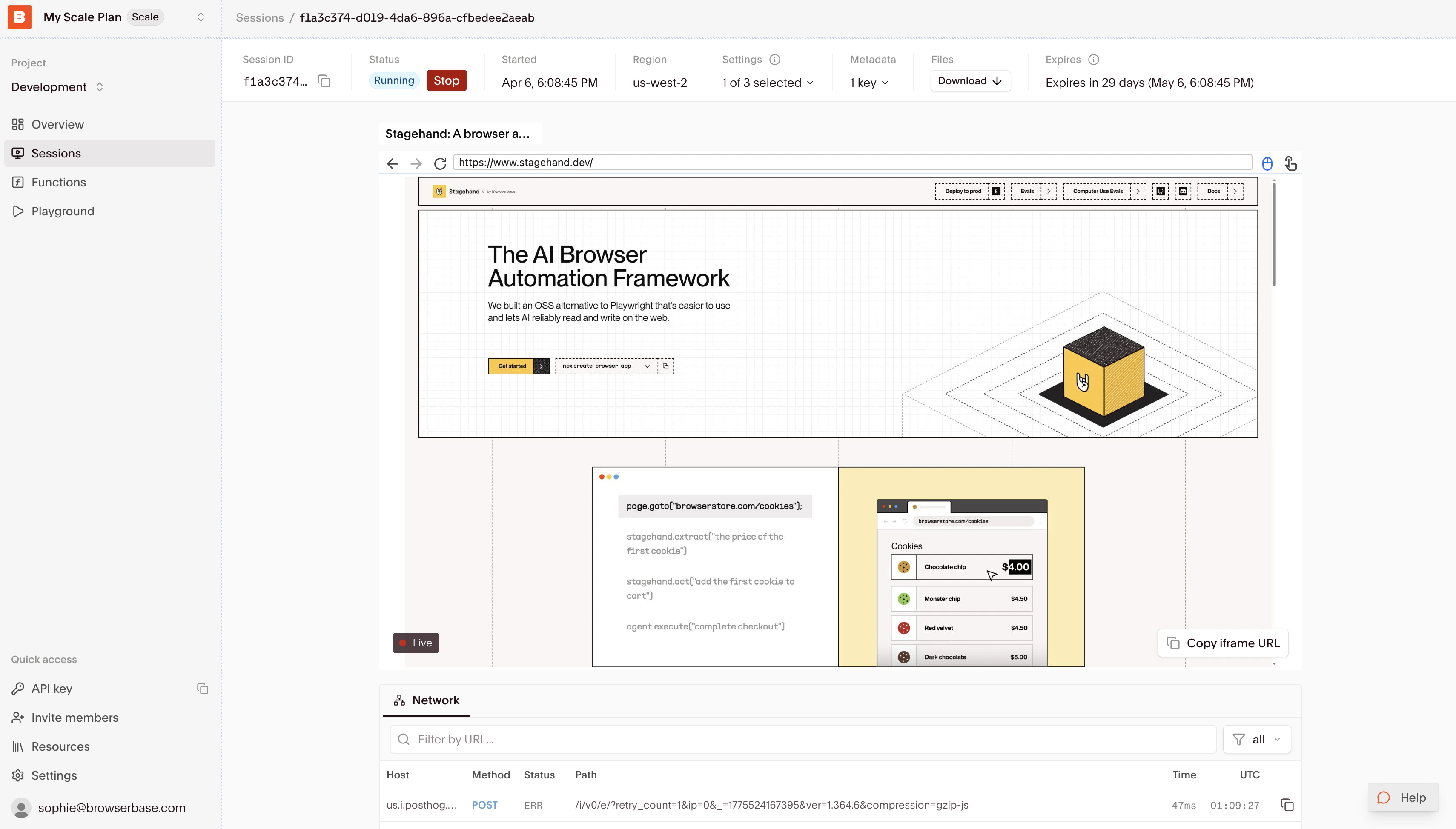
- Live browser state and interactions
- Real-time network requests and responses
- Console output and error tracking
- Performance metrics and resource usage
- Session replay
Embedded view
Integrate the Live View directly into your application to show your users their automated browser sessions in real-time. The Live View enables remote control over the browser, unlocking human-in-the-loop possibilities to handle authentication, CAPTCHAs, or unexpected errors.Ending your session
Browserbase automatically handles session termination when you disconnect. For details about termination, timeouts, and lifecycle management best practices, see Manage a browser session.Related guides
Manage browser sessions
Monitor session state and release browsers when work finishes.
Session replay
Review completed browser sessions and debug failures.